
Redact your PDFs
for good.
A black box drawn over a PDF often hides nothing: the text is still underneath. Caviar destroys it, checks every page before export, and never lets anything leave your Mac.
Coming soon to the Mac App StoreFree during launch · macOS 26 or later
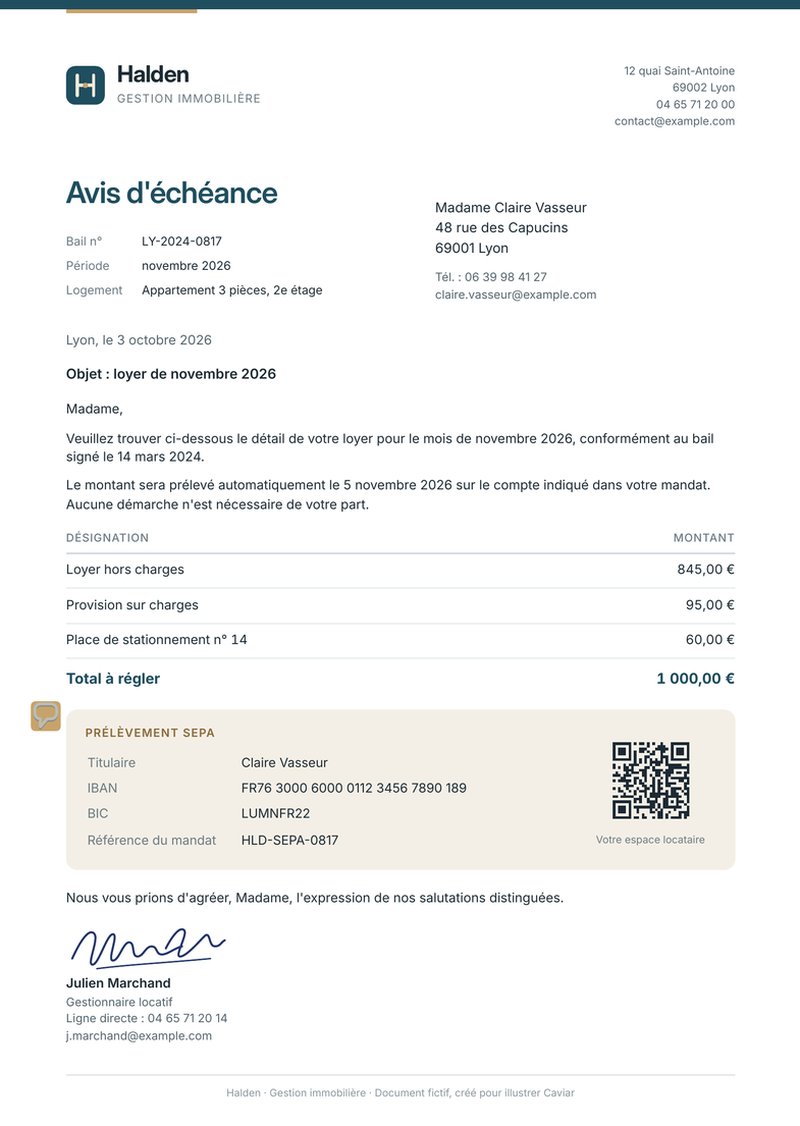
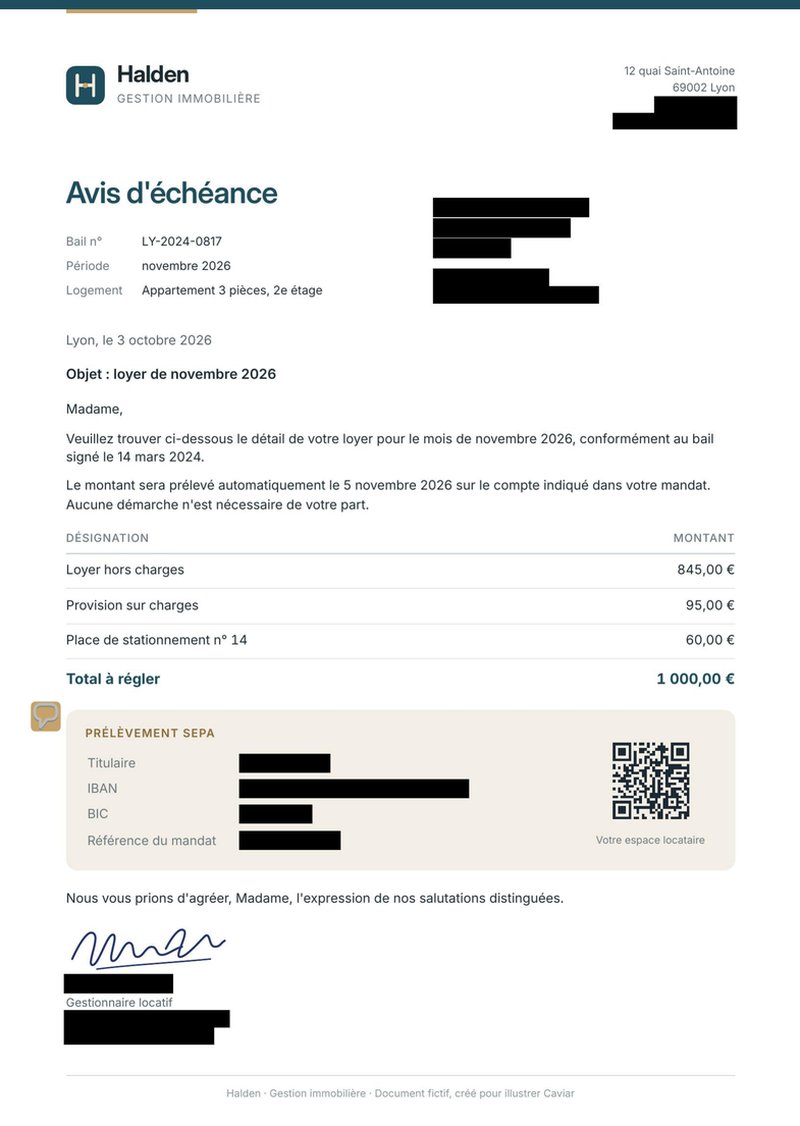
The text is destroyed, not covered
On export, every page is redrawn as a 300 dpi image in a brand-new document. Whatever was under the black no longer exists.
Every export is checked
Before writing the file, Caviar checks that every area is truly black in the delivered image. Otherwise, the export is refused.
Nothing leaves your Mac
No account, no cloud, no network connection. Detection runs entirely on your Mac.
Detection does the heavy lifting
What Caviar finds
Names, postal addresses, emails, phone numbers, dates, amounts, IBANs and BICs, credit cards, vehicle identification numbers, IP addresses, GPS coordinates, passport MRZ lines, QR codes and barcodes, faces and handwritten signatures, plus identifiers specific to each country.
You stay in control
Review mode shows each area one after another: accept or reject it with a single key. Draw your own areas and keep a list of words that are always redacted.
Hidden data goes too
Metadata, attachments, scripts, annotations, earlier versions: by default, none of it reaches the delivered file.
Built for repeated work
"Open With" from the Finder, optional automatic export, presets per kind of document, built-in guide.
At a glance
- macOS 26 or later
- 25 languages
- Protected and locked PDFs
- No data collected
- Free during launch
Frequently asked questions
Why not just draw a black box?
In most editors the box sits on top of the text, which stays in the file: selecting or copying it is enough to read it. Caviar replaces every page with an image in which the redacted text no longer exists.
Are my documents sent anywhere?
No. Caviar makes no network connection. Analysis, detection and export all happen on your Mac. See the privacy policy.
Is the exported PDF still readable and printable?
Yes. Every page is a 300 dpi image, sharp on screen and on paper. The trade-off is that text can no longer be selected, which is precisely the point.
Is automatic detection perfect?
No detection is. It suggests areas that you confirm in review mode, and you can always add your own. Read the document over before sharing it.
Does Caviar work with scanned documents?
Yes. Text on scanned pages is recognized on your Mac, then redacted like everything else.
How much does Caviar cost?
Caviar is free during launch.