 Caviar
Press kit
Caviar texts, images and video, free to reproduce for the press, blogs and newsletters. Contact: [email protected]. Reply within 48 hours, ten-minute demo on request, in English or French.
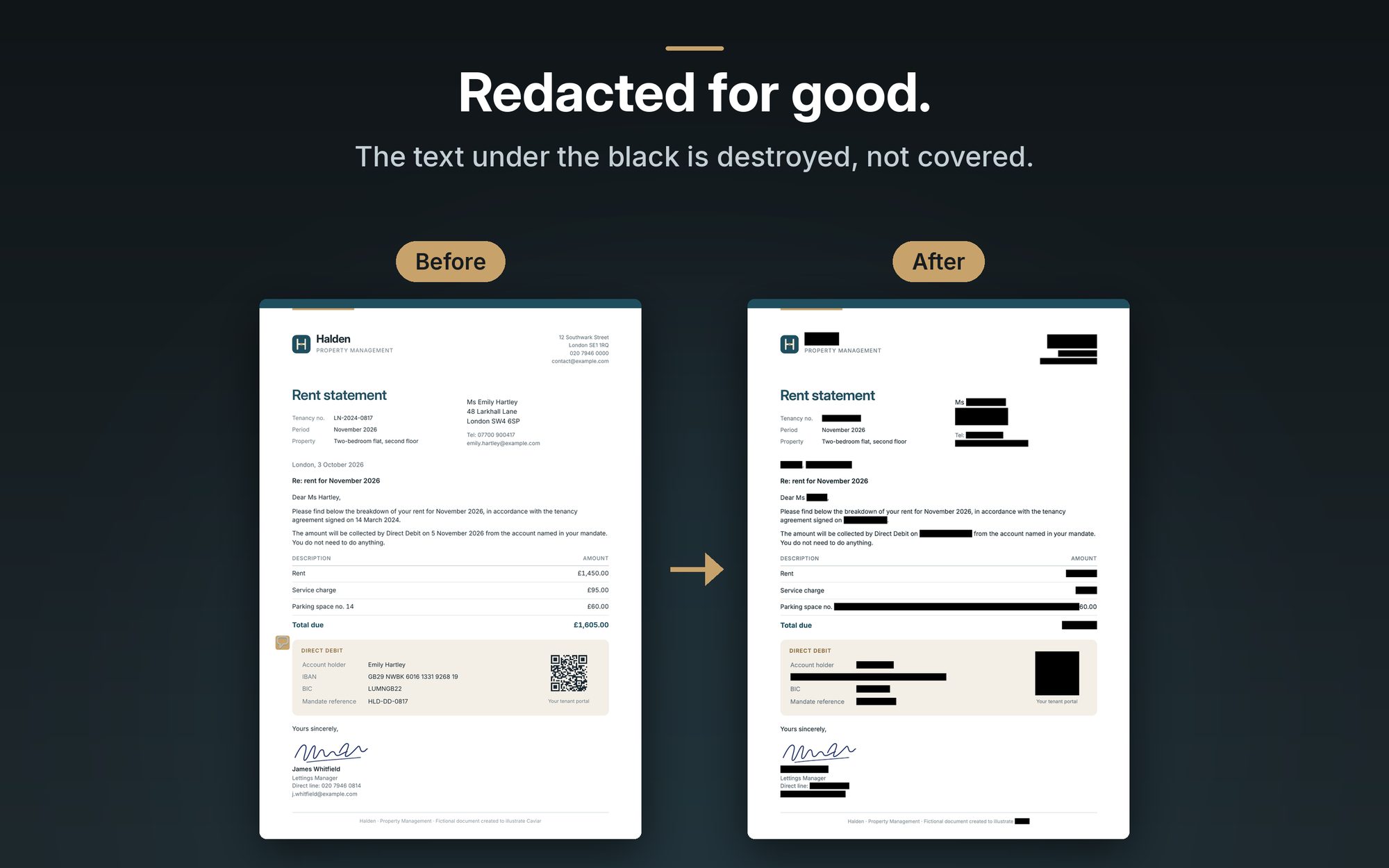
Caviar redacts PDFs and screenshots for good: the text under the black is destroyed, every page is checked before export, and nothing leaves your Mac.
Caviar is a native Mac app that redacts PDFs and screenshots irreversibly. Where most tools draw a black box over text that stays in the file, Caviar re-renders every page as a 300 dpi image into a brand-new document, then checks pixel by pixel that every area is truly black before writing the file. Detection (names, addresses, IBANs, identity numbers from some thirty countries…) runs entirely on the Mac, with no account and no network connection. Twenty-five languages, a built-in guide, and a Shortcuts action to redact a screenshot and paste it. Free during launch, on the Mac App Store.
A black box drawn over a PDF often hides nothing. The text is still in the file, and selecting it is enough to read it: Paul Manafort's lawyers learned this in 2019, a US federal judge in 2011, and thousands of court filings carried Social Security numbers readable under the black. Caviar starts from that observation.
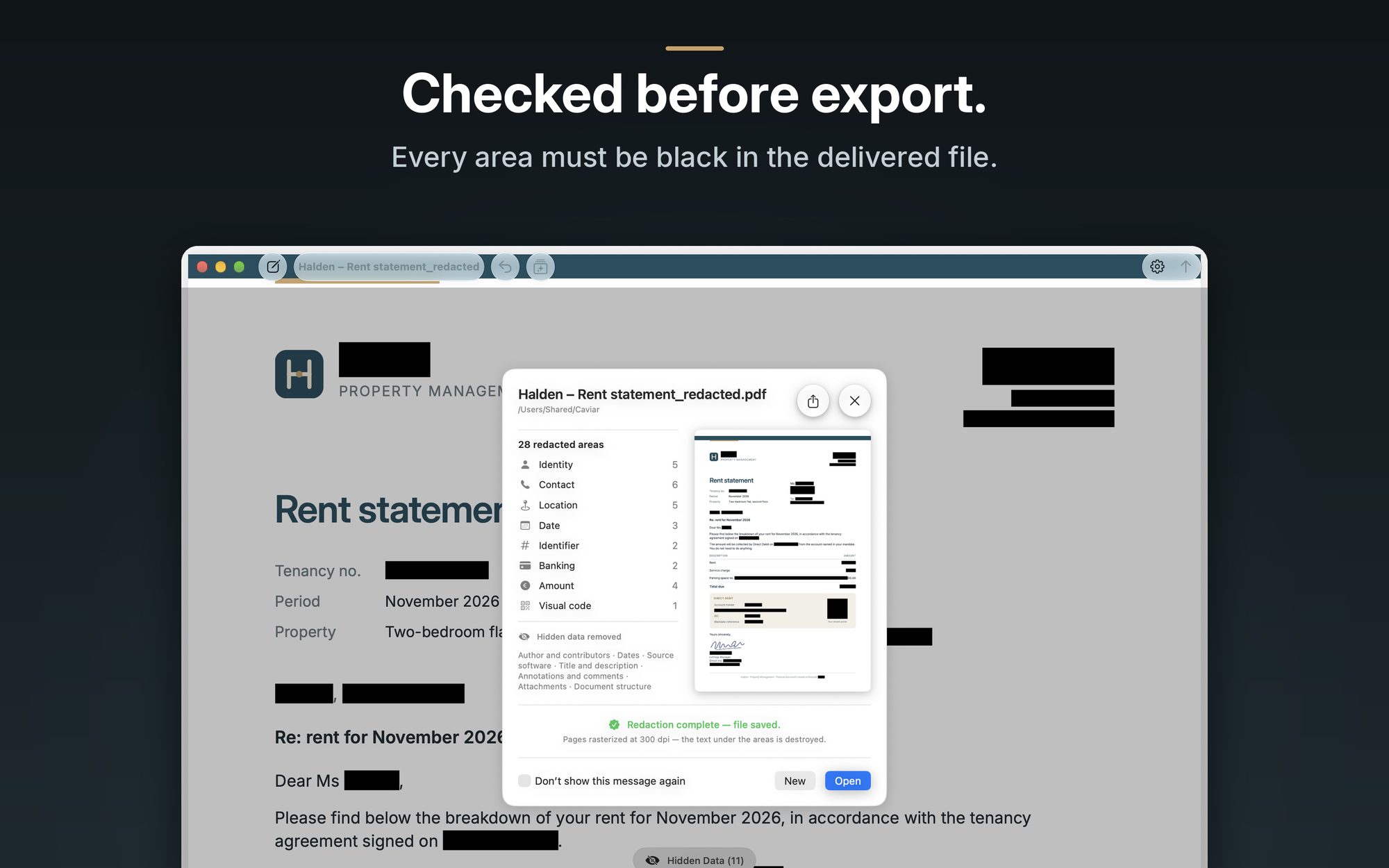
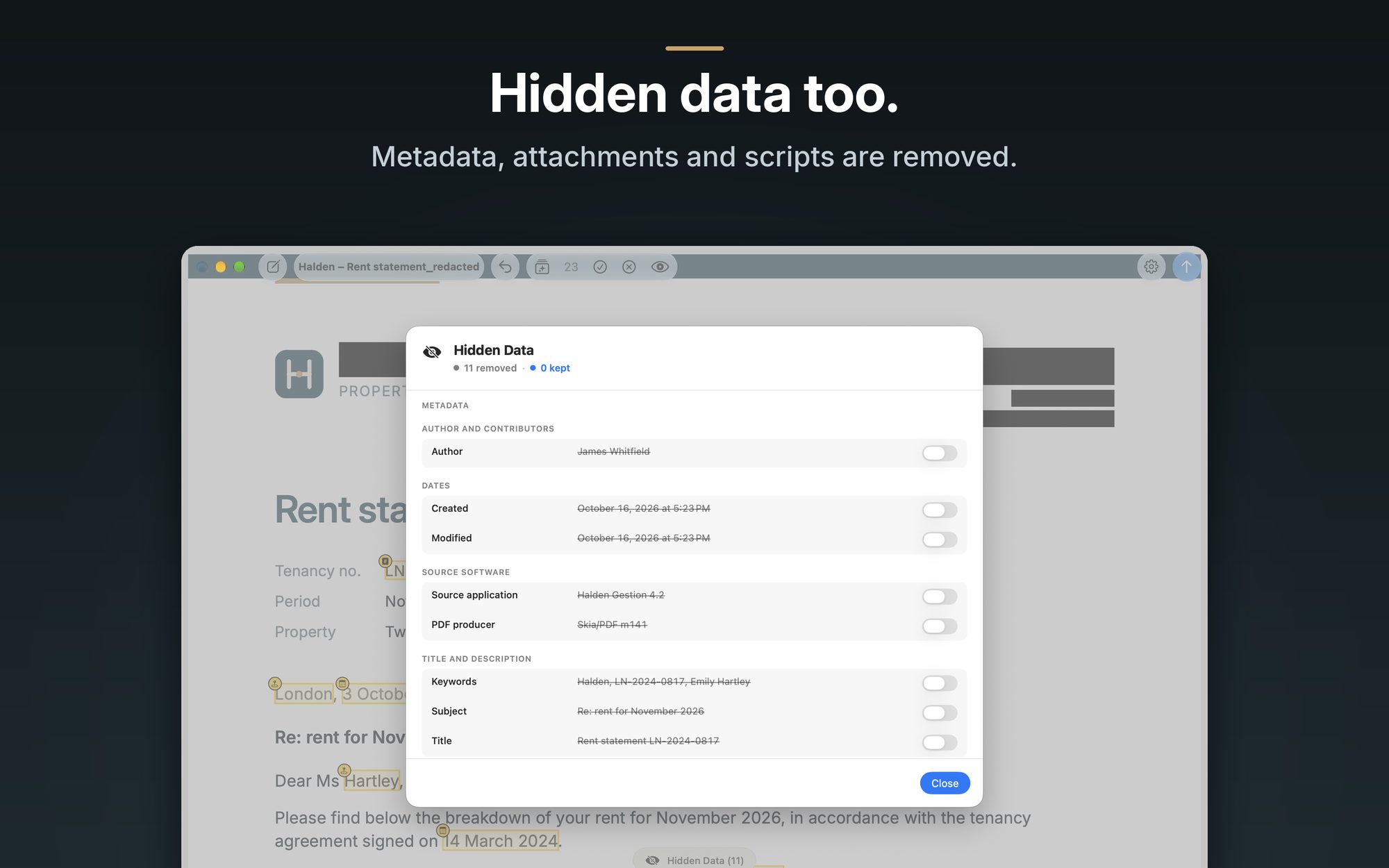
On export, Caviar re-renders every page of the document, whether it carries a redaction or not, as a 300 dpi image into a brand-new PDF. Whatever sat under a black area no longer exists, and no text stream, font or off-page content travels from the original to the delivered file. Before writing the file, the app reopens the result and checks pixel by pixel that every area is black; if one is not, the export is refused and no file is written. Hidden data (metadata, attachments, scripts, annotations, revision history) is removed as well.
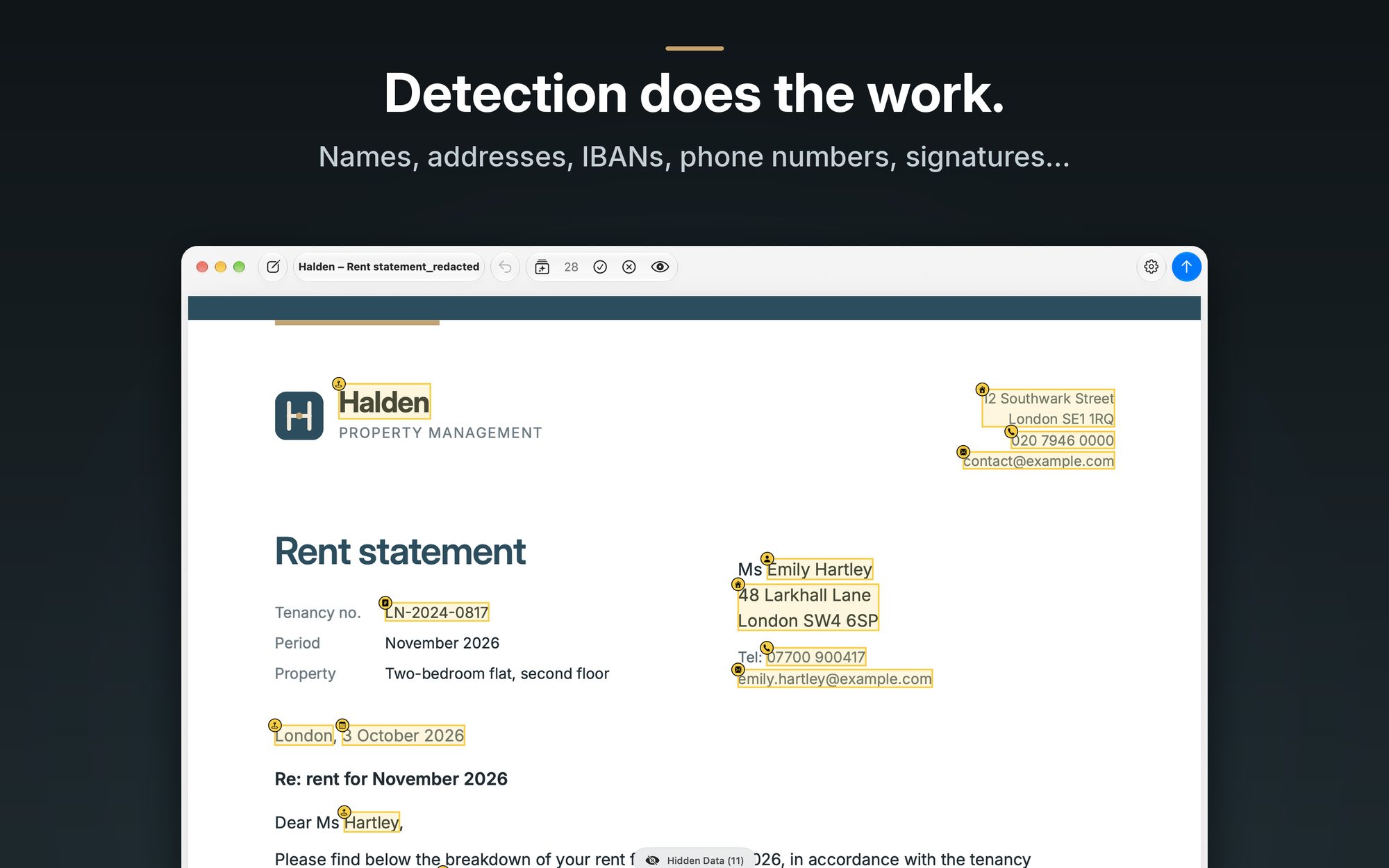
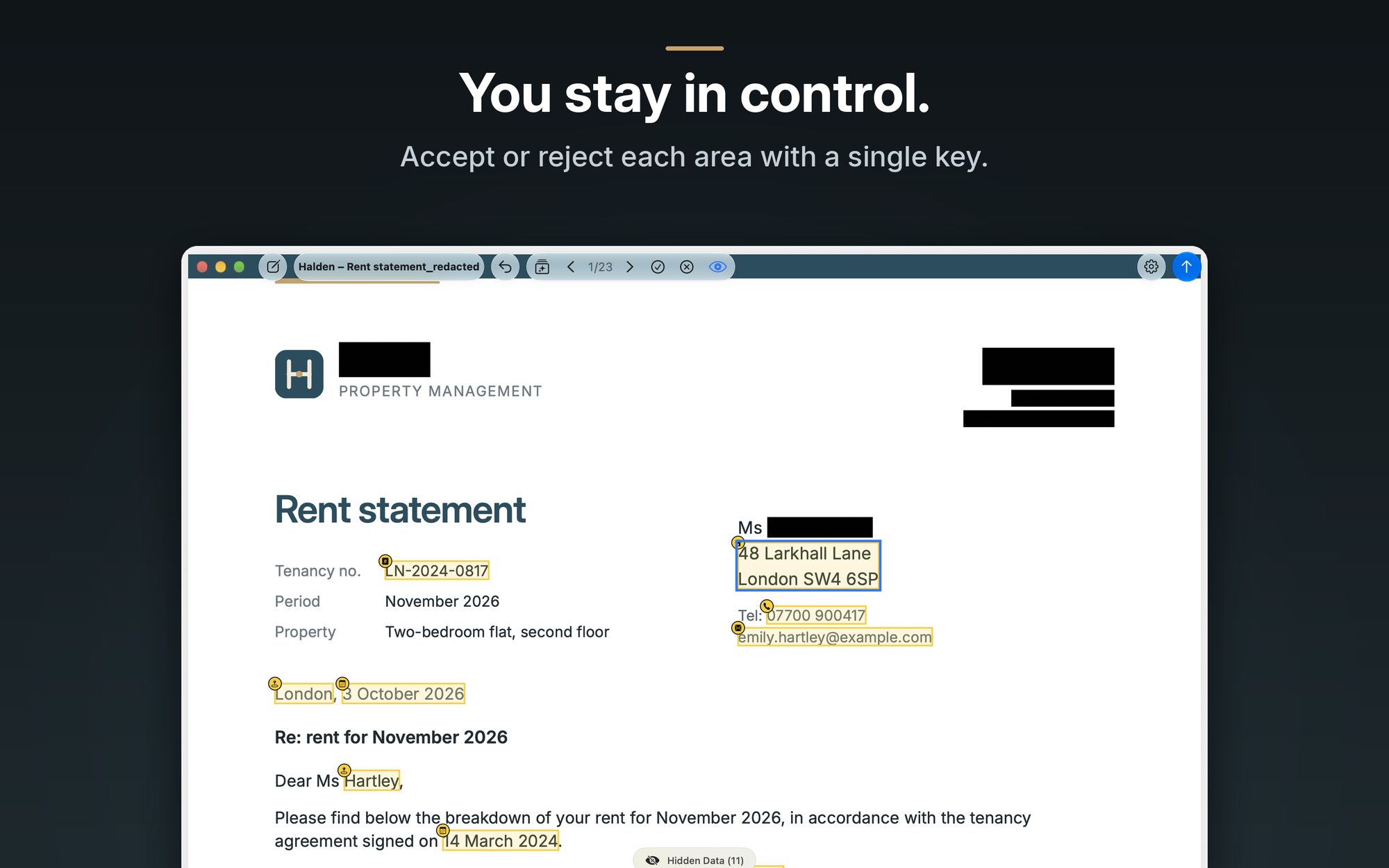
Detection does the heavy lifting: names, postal addresses, emails, phone numbers, dates, amounts, IBANs and BICs, credit cards, vehicle identification numbers, IP addresses, passport MRZ lines, QR codes and barcodes, faces and handwritten signatures. Depending on the Mac's region, Caviar also recognizes social security numbers, tax IDs and license plates from some thirty countries. Review mode shows each area one after another; accept or reject it with a single key, and draw your own.
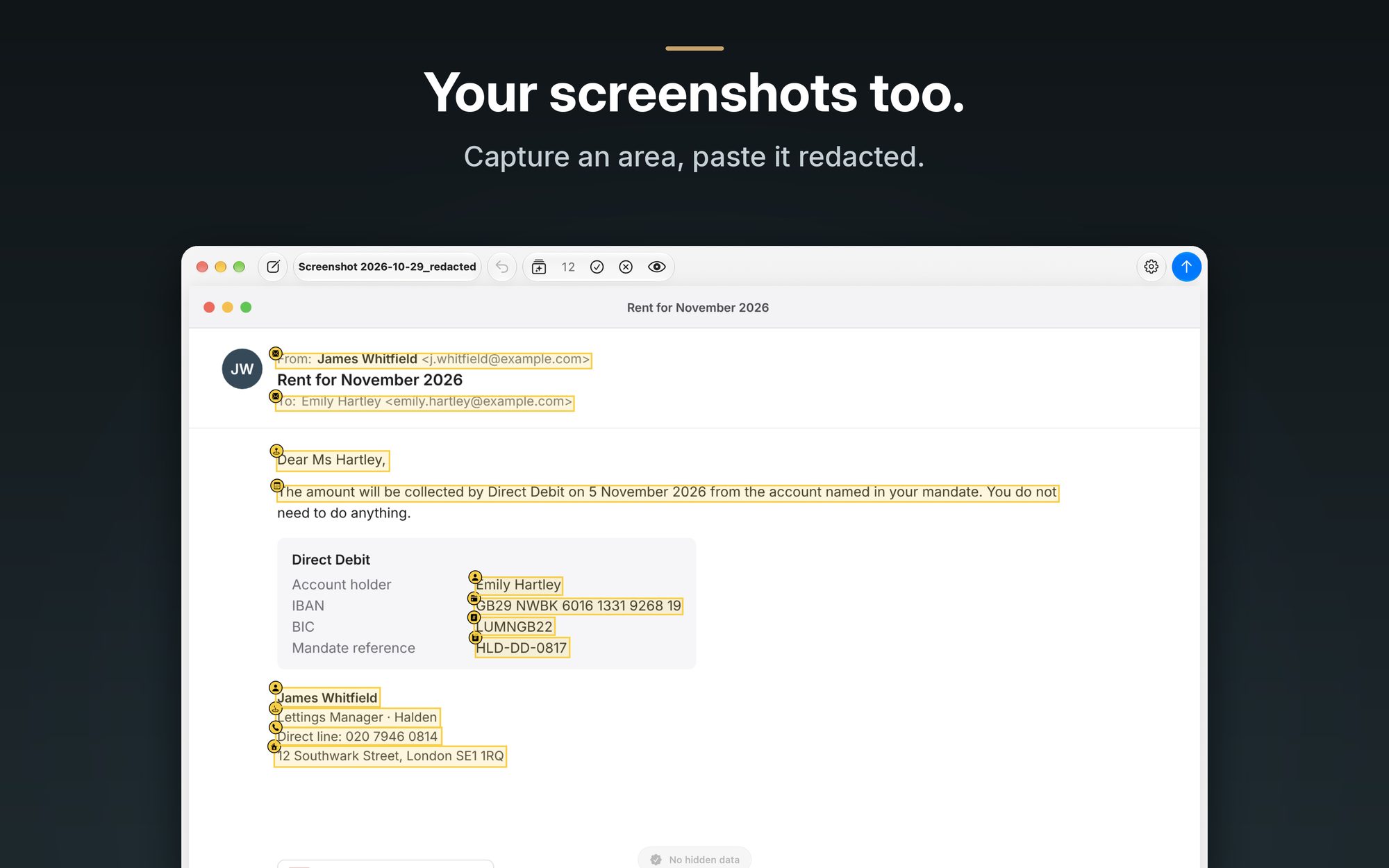
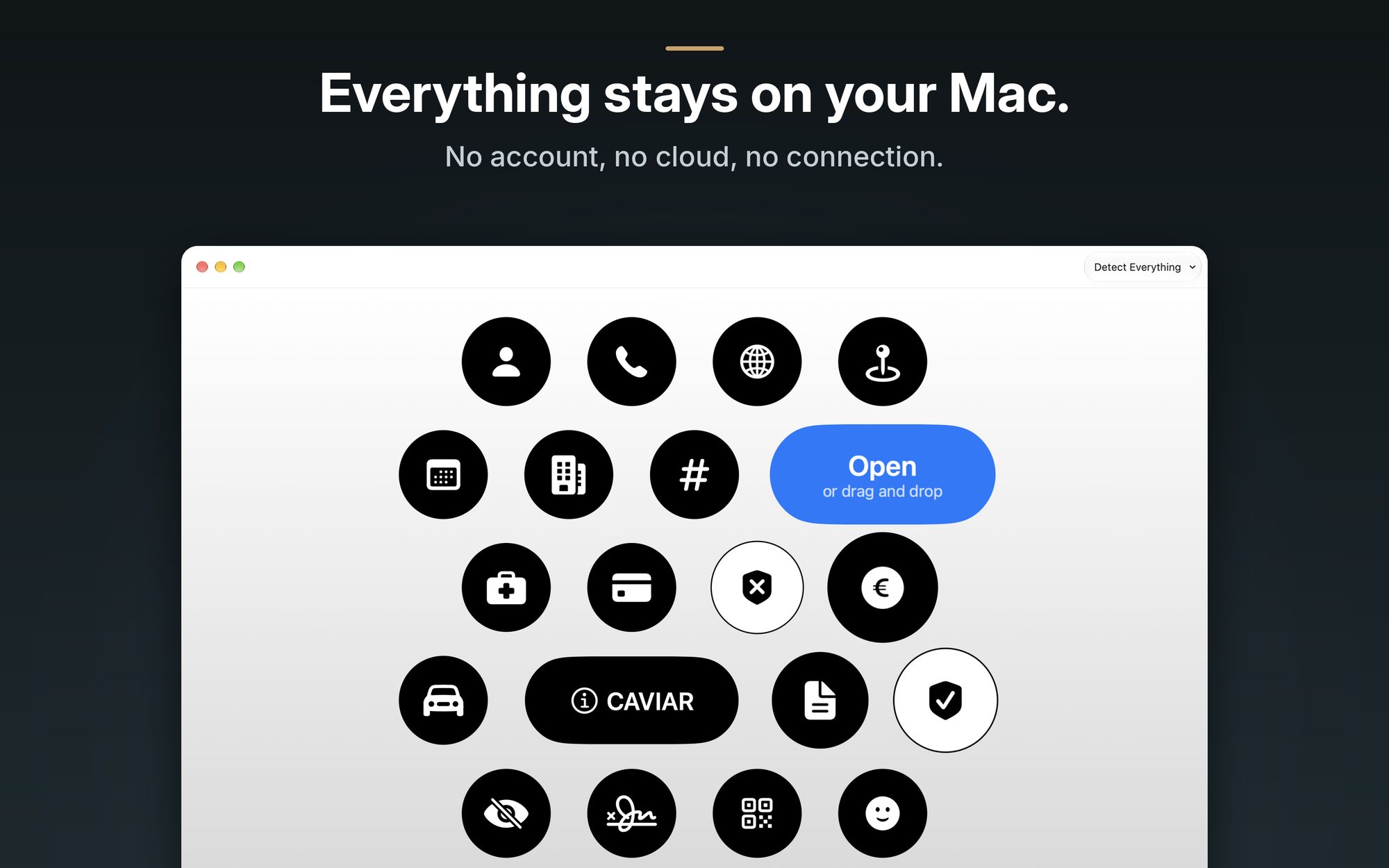
Everything happens on the Mac: no account, no cloud, no network connection. Caviar opens images too: drop a screenshot thumbnail on the start screen, or use the bundled Shortcuts action to capture an area of the screen and paste it redacted into an email, a chat or an AI assistant.
Caviar is written in SwiftUI for macOS 26, translated into 25 languages, and built in the EU by an independent developer. It is free during launch on the Mac App Store.
“A black box destroys nothing. Caviar replaces the whole page with an image, then checks there is nothing left to read.”
“If an area is not black in the final file, Caviar refuses to export. It is the one app in the category that says no.”
“No network connection at all, not even for detection updates: everything comes from Apple's frameworks and runs on your Mac.”
Attribute to the developer of Caviar.
| Platform | macOS 26 (Tahoe) and later, Mac App Store, SwiftUI |
|---|---|
| Price | Free during launch |
| Languages | 25 languages in the app, 27 store localizations |
| Privacy | “Data Not Collected”; the app has no network entitlement in its sandbox |
| Export | Every page rasterized at 300 dpi into a new document; text and pixel checks before writing |
| Detection | Apple's Vision, Natural Language and NSDataDetector; per-country detectors for social security, tax and license plate numbers of some thirty countries |
| Hidden data | Metadata, XMP, attachments, JavaScript, annotations, forms, history: removed by default |
| Inputs | PDF (including protected and locked), PNG, JPEG, HEIC, TIFF and other still images, macOS screenshot thumbnail, Shortcuts action |
| Developer | Independent, EU; [email protected] |
Click a title for the full-resolution version. The document shown is fictional. Screenshots exist in 23 languages: ask for the one you need.
 Icon, 1024 px PNG
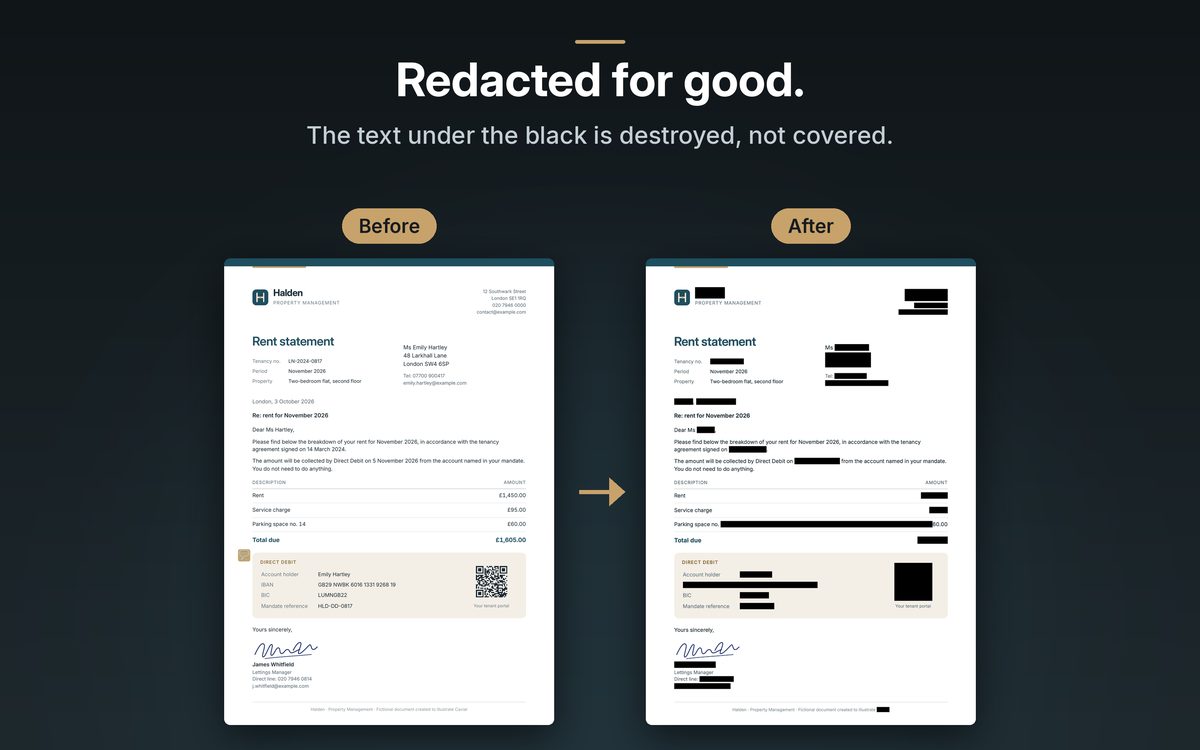 Screenshot 1: Redacted for good.
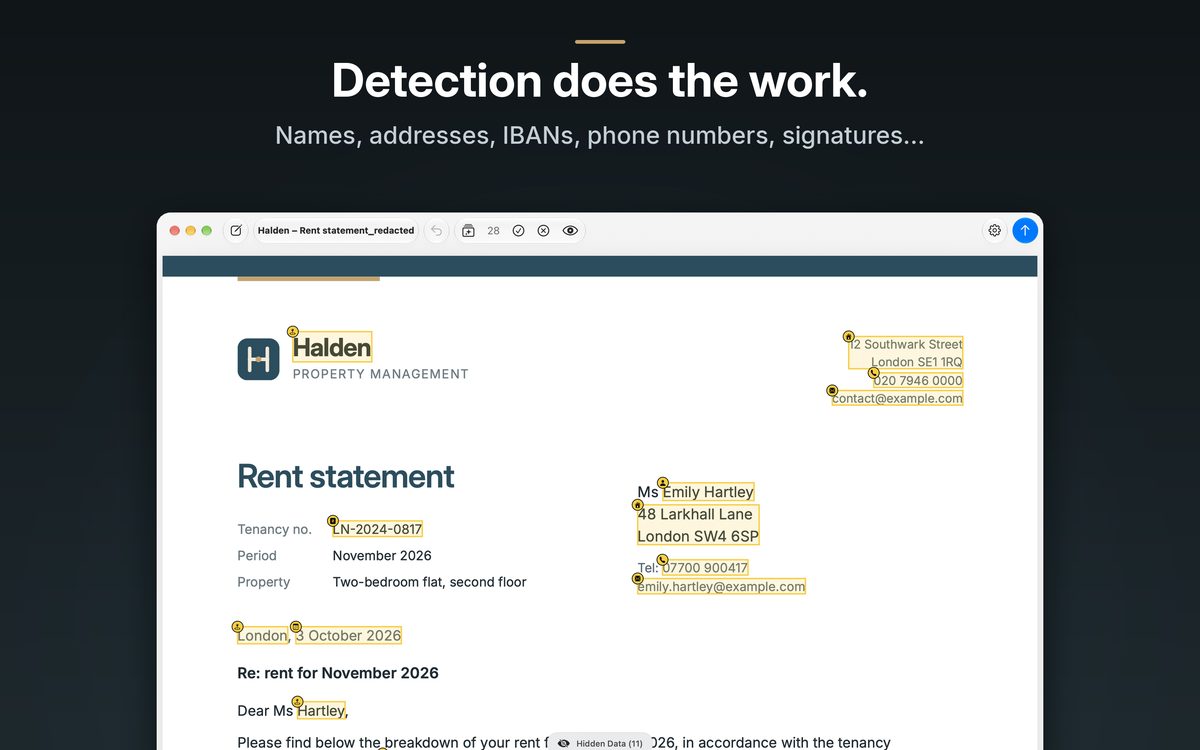 Screenshot 2: Detection does the work.
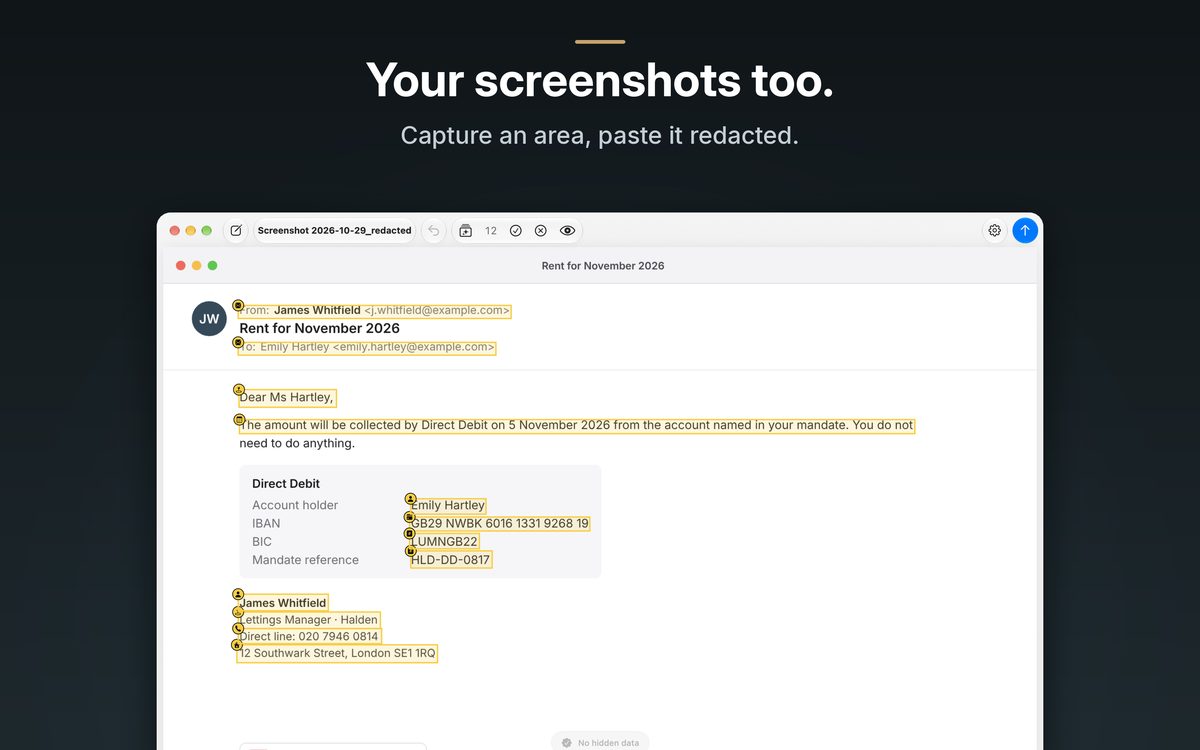 Screenshot 3: Your screenshots too.
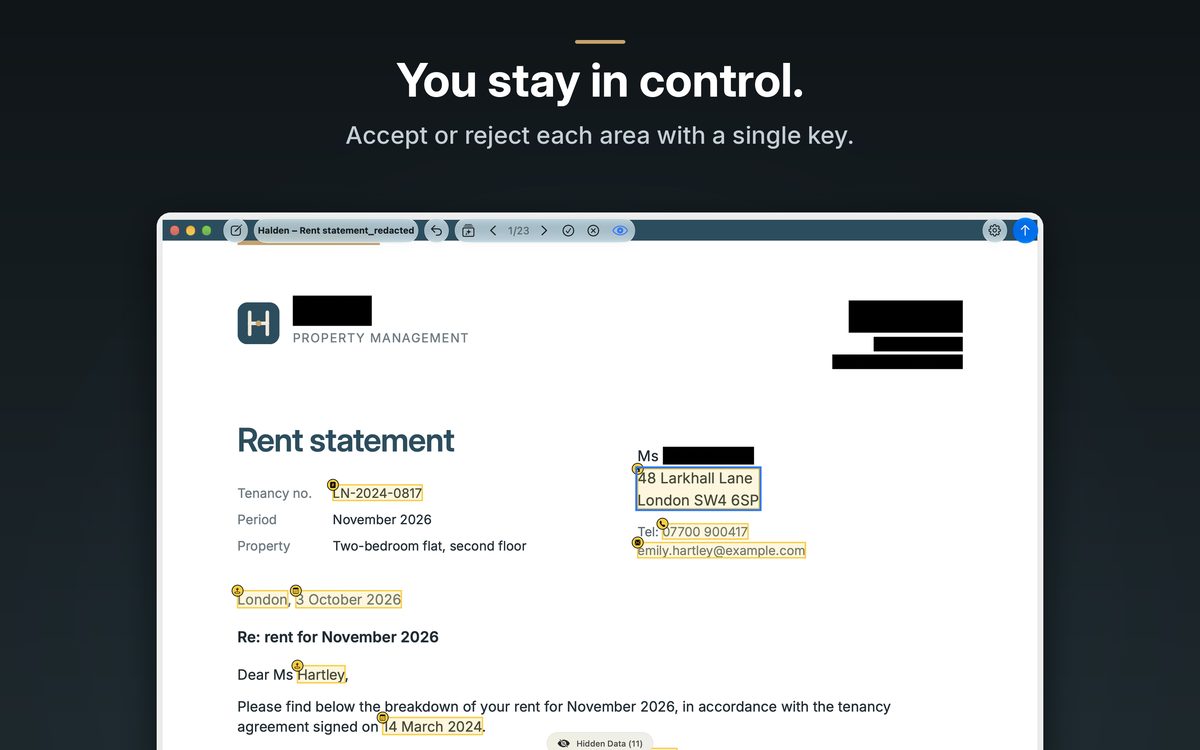 Screenshot 4: You stay in control.
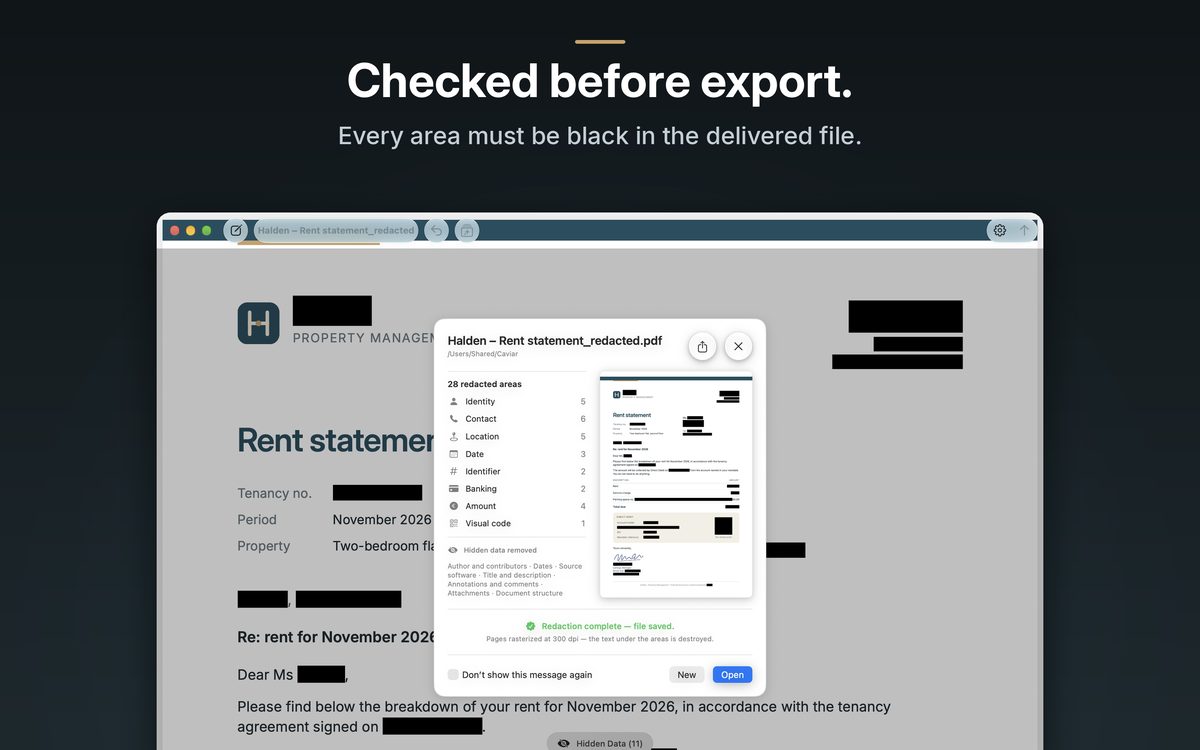 Screenshot 5: Checked before export.
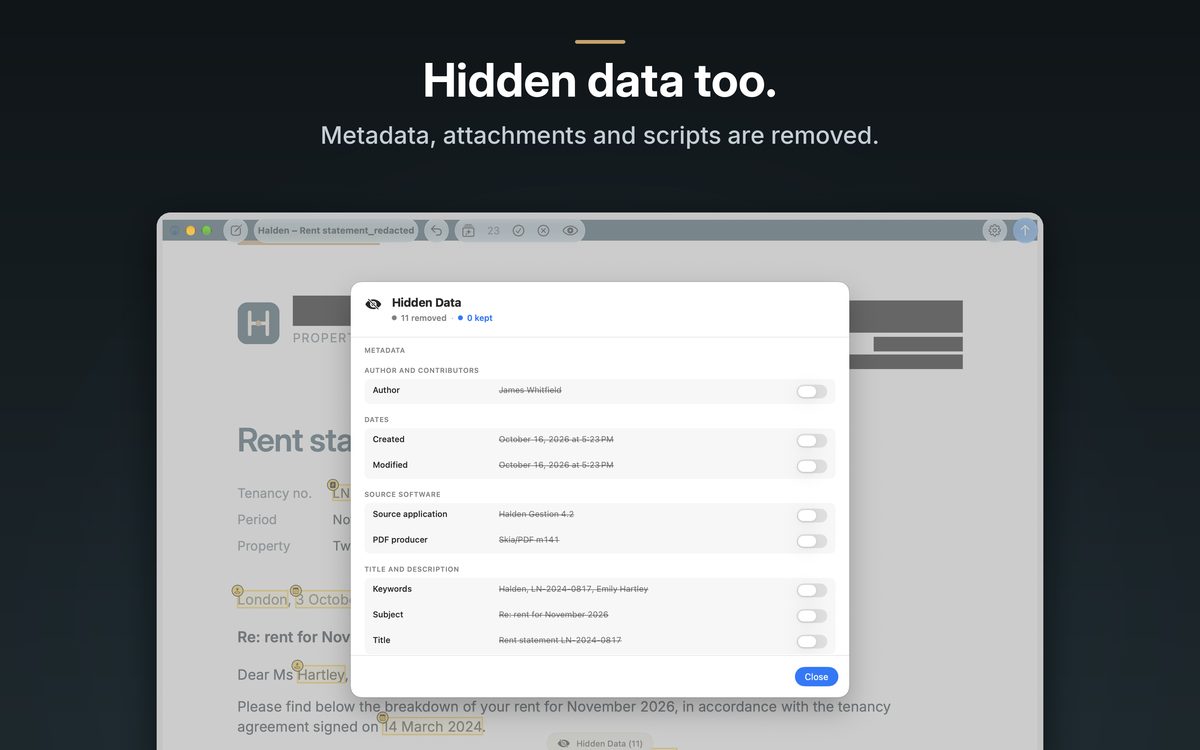 Screenshot 6: Hidden data too.
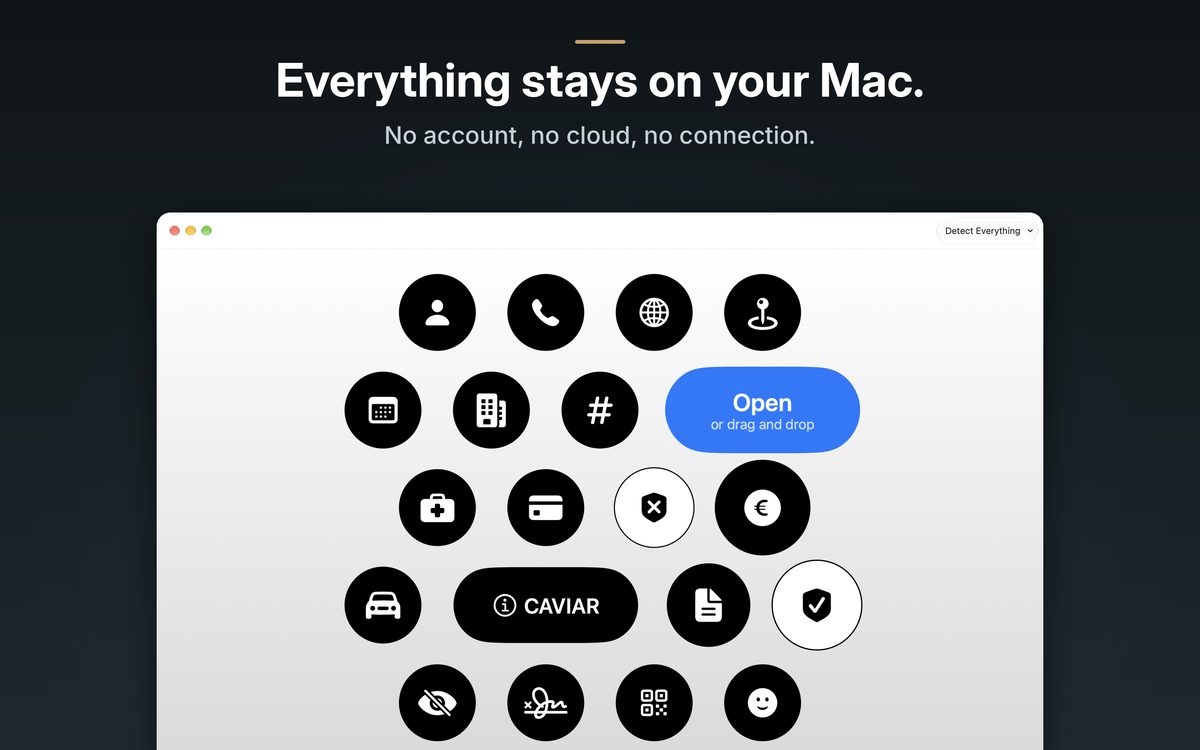 Screenshot 7: Everything stays on your Mac.
18-second video, App Store preview format: in English · in French.
- Why black boxes fail: the three ways a redaction leaks, and the cases where it showed.
- How to redact a PDF on Mac: Preview, Acrobat and Caviar compared step by step.
- Privacy policy: what the app and the site do not collect.